 OmniPressix
Language of the user interface (German / English)
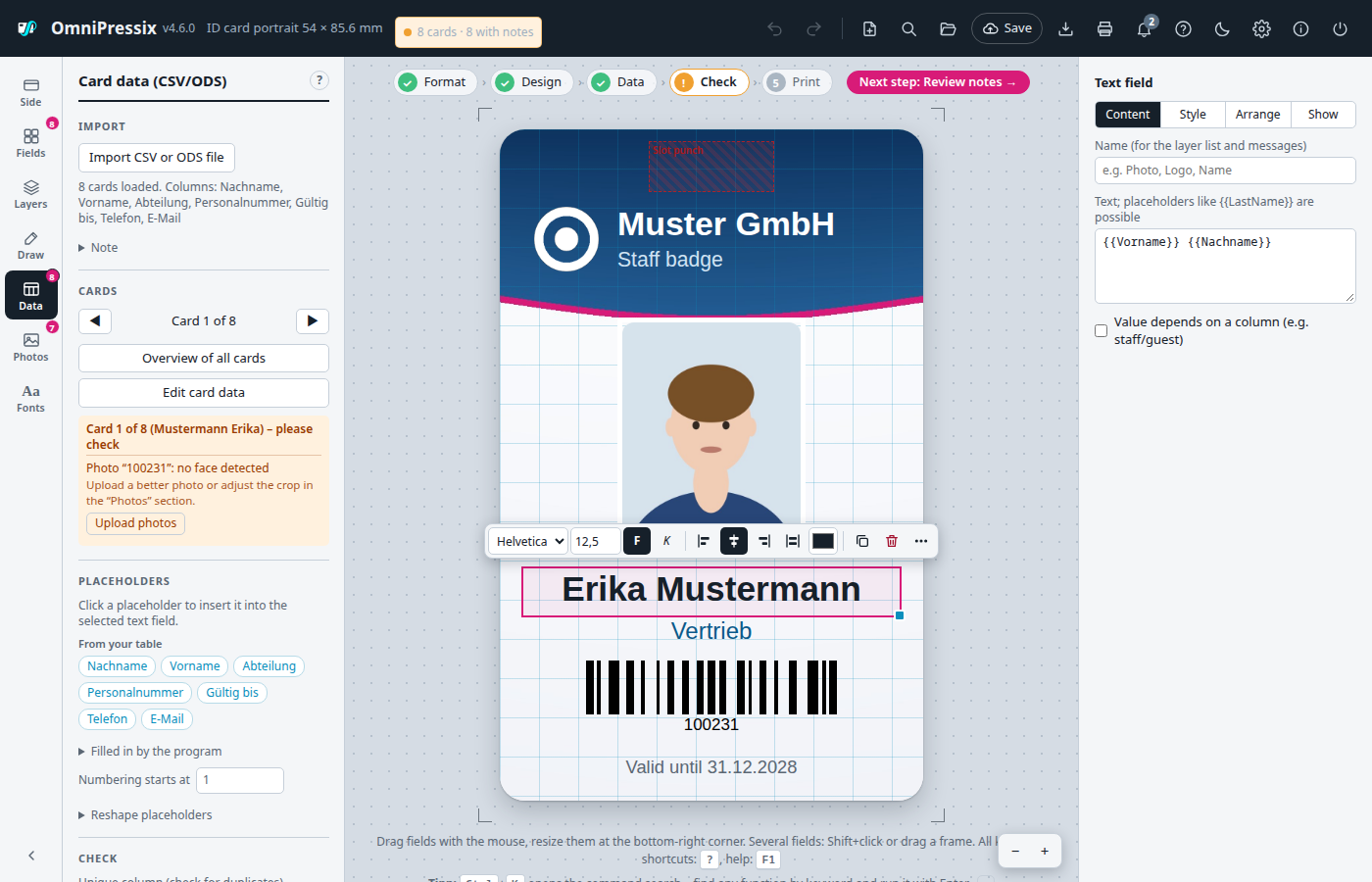
The user interface is available in German and English. If the browser is not set to German, it starts in English; you can switch it in the settings (gear at the top right) under “Sprache / Language”. The browser remembers the choice. Translated are the editor with all windows and messages, the help (F1) including tips, the program’s error messages, the sign-in page in server mode and the “Program is not running” page. In English, sample data, sample CSV and the standard card also fit ({{FirstName}}, {{CustomerNo}} …), numbers use a decimal point and the built-in placeholders are called {{No}}, {{Today}}, {{Today+1Y:MM/YY}} (the German names work in both languages). The contents of the card itself – texts, column names, template names – are never translated.
This is how it works technically: the editor is written in German. web/js/i18n.js translates everything that appears on the page into English – on loading and continuously every new text (also messages). The translations are in web/js/i18n-en.js: fixed texts and patterns for messages with changing parts ({} Karten importiert). The help has its own file web/help.en.html. New text in the editor therefore only needs an entry in i18n-en.js; if it is missing, the text simply stays German in English. go test ./... finds missing entries (test TestAllTextsTranslated in internal/uitest, see TESTPLAN.md); by hand: call I18N.untranslated() in the browser console. Text that does not end up on the page (questions, file names, text in the PDF) is translated in the code with tt('…').